

You've built an AI application that people actually use. You picked a powerful language model — the software that reads a prompt (the text instruction you send it) and writes a response — crafted careful prompts, and connected it to your data. But when users try it, they're met with a blinking cursor or a loading spinner that lingers just a little too long. That delay — the gap between a user's question and the AI's first word — is where promising products fail. The common reflex is to blame the model, but the truth is more complex. The total delay, or latency, isn't a single event; it's an accumulation of delays from a multi-step pipeline: the chain of retrieval, reasoning, and formatting steps that runs behind the scenes every time someone asks your AI a question.
Thinking about latency as one number is a mistake. Instead, treat it as a budget. Every user interaction has a finite amount of time before the experience feels slow — perhaps two seconds. That budget gets spent in stages: fetching data, a first call to the model, using a tool (an external function or API the AI calls on its own, like a weather lookup), a second call to the model, and running safety checks. Overspend in one stage, and you have less left for the others. Streaming the response — showing words as they're generated, rather than all at once — helps with how fast the experience feels, but it doesn't shrink the actual time before the first word appears. This article lays out a framework for managing your AI's latency budget, so your application feels responsive instead of sluggish.
Deconstructing Latency: Where Your Budget Is Spent
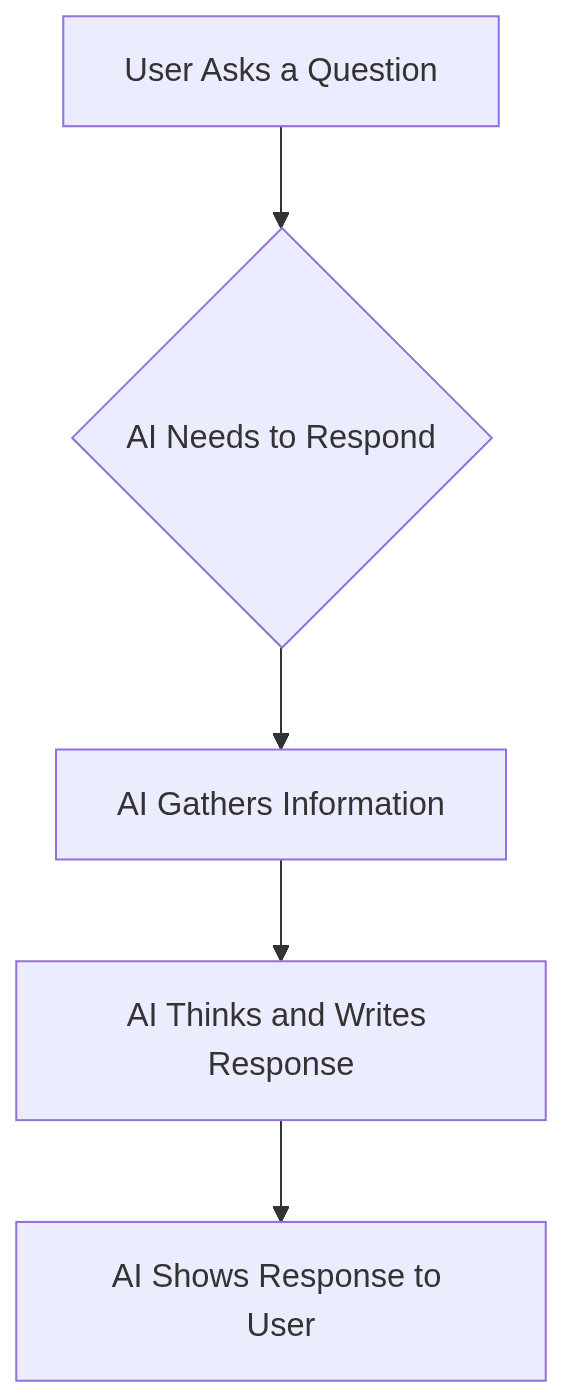
An AI agent's response is not a single act of "thinking." It's a supply chain. A delay at any point in the chain affects the final delivery time. To manage the budget, you first need to understand where it's spent. A typical request-response cycle involves at least four phases.
Phase 1: Retrieval and Pre-processing
Before a model can reason, it needs context. This is the retrieval phase, where the system fetches relevant information to ground the model's response. This might involve:
Vector Search: Finding relevant document chunks from a knowledge base.
Database Queries: Looking up user data, order history, or product specs from an operational database. Tools like SpiceDB are designed as accelerated SQL query engines to make this step faster.
API Calls: Pulling real-time information from external services.
Each of these takes time. A poorly optimized database query or a slow external API can exhaust a significant portion of your latency budget before the "AI" part has even begun. This phase is often a fixed cost, but it sets the baseline for everything that follows.
Phase 2: Model Inference
This is the step most people think of as "AI latency." It's the time the Large Language Model (LLM) takes to process the prompt and generate a response. This phase has two critical metrics:
Time to First Token (TTFT): The time from sending the prompt to receiving the very first piece of the response. This is the primary driver of perceived latency. A low TTFT makes the application feel responsive, even if the full response takes longer.
Time per Output Token (TPOT): The speed at which subsequent tokens are generated. A high TPOT (a fast stream) makes the response feel fluid.
Streaming tokens to the user as they are generated is a powerful technique for managing perceived latency, but it's a user interface trick, not a performance optimization. It doesn't reduce the actual TTFT. If your TTFT is three seconds, the user is still staring at a blank screen for three seconds, no matter how fast the words appear afterward.
Phase 3: Tool Calls and Agentic Loops
Modern AI applications are rarely single-shot queries. They are often agents that can use tools to accomplish tasks. An agent might first call a model to understand a user's intent, then call a weather API (a tool), then call the model again to synthesize the weather data into a human-readable answer.
This loop is a latency multiplier. Each step — the model call, the tool execution, the subsequent model call — adds its own delay. Worse, this is where you encounter the "p99 problem." If you have a three-step chain, and each step responds in 200ms on average but has a 99th-percentile (p99) latency of 800ms, your users will frequently experience delays far greater than the 600ms average. The probability of at least one step hitting its p99 latency is much higher than the individual 1% chance, leading to an unpredictable and often frustrating user experience.
Phase 4: Post-processing and Safety
The final step before the response reaches the user is post-processing. This can include:
Formatting: Converting the model's raw output into JSON, Markdown, or another structured format.
Guardrails: Checking the response for toxicity, factual inconsistencies, or policy violations.
Sanitization: Removing sensitive information before display.
While often fast, this phase is another fixed cost added to every single response. In aggregate, these four phases combine to create the total end-to-end latency that your user experiences.
The Latency Budget: A Worked Example
Let's make this concrete. Imagine you're building a customer service agent and have set a total latency budget of 1.5 seconds (1500ms) for a "good" user experience. Here's how you might allocate that budget for a simple query like: "Where is my order?"
Stage | Action | Budget | Actual (p90) | Notes |
|---|---|---|---|---|
Retrieval | Detect intent, call Orders API | 300ms | 250ms | Fast API is critical. |
Generation | Synthesize API data into a sentence | 1200ms | 400ms | A small, fast model is sufficient. |
Total | User sees first token | 1500ms | 650ms | Well within budget. |
This works beautifully. The small model is quick, the API is responsive, and the user gets an answer in under a second.
Now, consider a more complex query: "Compare your top three enterprise laptops for a software developer, focusing on battery life and Linux compatibility."
This requires a completely different execution path. A small model can't handle this; it requires advanced reasoning and knowledge from product manuals. A single API call won't suffice; it needs to retrieve and synthesize multiple documents.
Here's a naive approach using the most powerful model for everything:
Stage | Action | Budget | Actual (p90) | Notes |
|---|---|---|---|---|
Retrieval | Vector search for 3 laptops | 500ms | 450ms | Vector DB is well-indexed. |
Generation | Large model synthesizes all docs | 1000ms | 2800ms | The model is powerful but very slow. |
Total | User sees first token | 1500ms | 3250ms | Budget shattered. |
The user waits over three seconds for the first token. This is a failed interaction. The problem wasn't any single component; it was the strategy. We used a sledgehammer — the large, slow model — when the first query only needed a tack hammer. The budget forces us to make smarter choices.
Winning the Race: Strategies for a Leaner Budget
Managing a latency budget isn't about making everything faster. It's about spending your milliseconds wisely. This means using the right tool for the job, at the right time, and cutting out unnecessary overhead.
The Cascade: Your First and Best Tool
Research shows that 40-70% of user queries do not require a slow, expensive flagship model. Many can be answered perfectly by smaller, faster, and cheaper models. The most effective strategy for managing the latency/cost/quality trade-off is model cascading.
The principle is simple:
Try the fastest, cheapest model first.
Check the quality of the result (or its confidence score).
If the result is insufficient, escalate to the next-best model.
This way, you only pay the latency and dollar cost of a flagship model for the minority of queries that actually need its power. For the simple majority, you deliver a fast, cheap, and sufficient answer. This is the core principle behind tools like CascadeFlow, which allows developers to build these dynamic decision flows directly into their agent's execution loop.
In-Process vs. Proxy: Cut the Network Tax
How you implement this cascading logic matters. Many teams start with an "AI proxy" that sits between their application and the model provider. The proxy intercepts the request, applies some logic (like routing or caching), and forwards it.
While simple, external proxies introduce significant latency overhead. Every decision requires a network round-trip from your application to the proxy, which can add 10-50ms or more before the request even leaves for the model provider.
A more efficient approach is an in-process harness. This is a library that runs inside your application, making decisions within the agent's own execution loop. An in-process harness can execute routing logic with less than 5ms of overhead, because there's no network call. CascadeFlow, according to its documentation, is an example of such a harness. It can inspect the agent's internal state, a tool's output, or a model's confidence score and switch models for the next step in the loop, all without the network tax of an external proxy.
A Code Example: Implementing a Latency-Aware Cascade
Let's see what this looks like in practice. The following is a conceptual Python example demonstrating how you might use a library like CascadeFlow to enforce a latency budget.
# This is a conceptual example to illustrate the pattern
from cascadeflow import Cascade, action, when

# Define our model options, from fastest to most powerful
MODELS = {
    "fast": "small-local-model",
    "medium": "mid-tier-api-model",
    "powerful": "large-flagship-api-model"
}

# Policy 1: For simple queries, use the fast model but escalate if it fails.
# The 'observe' function here would be a custom check on the model's output.
@action(
    model=MODELS["fast"],
    on_failure="escalate"
)
def simple_query_policy(state):
    # This policy applies if the query is classified as simple
    return when(state.query_complexity < 0.5)

# Policy 2: For complex queries, start with a medium model.
# Enforce a strict time-to-first-token budget of 1200ms.
@action(
    model=MODELS["medium"],
    on_latency_exceeded="escalate",
    budget_ms=1200
)
def complex_query_policy(state):
    # This policy applies to more complex queries
    return when(state.query_complexity >= 0.5)

# The final fallback is the most powerful model
@action(model=MODELS["powerful"])
def fallback_policy(state):
    return when(True) # Always applies if no other policy matches

# The harness orchestrates the policies
cascade = Cascade(policies=[simple_query_policy, complex_query_policy, fallback_policy])

# --- In your agent's code ---
# The harness wraps the call to the agent or LLM
# It will dynamically select the model based on the policies.
# If the medium model takes > 1200ms, it would cancel and retry with the powerful one.
response = cascade.run(agent, "Summarize this year's earnings report.")
This in-process approach allows for fine-grained control that a proxy cannot achieve. It can make decisions based on the agent's internal state at every step, gating tool calls or switching models mid-flow to stay within budget.
The Final Frontier: Edge and Real-Time
For some applications, even 5ms of overhead is too much. In domains like real-time audio and video processing or on-device AI for wearables, the latency budget is measured in single-digit milliseconds or microseconds.
Projects like OpenDSP, a real-time operating system for digital signal processing, use a real-time kernel to guarantee execution deadlines for audio tasks. Similarly, engines like Cactus are designed for hybrid edge-cloud execution, running parts of the AI workload directly on mobile devices to eliminate network latency entirely for certain tasks. These systems represent the extreme end of latency optimization, but the core principle is the same: understand your budget, measure every component, and architect your system to meet its deadlines.
Beyond Speed: The Latency, Cost, and Quality Triangle
Latency doesn't move on its own — push on it, and cost or quality moves too. In practice:
The fastest models are usually the cheapest, but they give you the weakest answers.
The highest-quality models cost the most and take the longest to produce a first token.
You cannot maximize all three at once. So the goal of a latency budget isn't just "make it fast" — it's finding the right point on this triangle for each individual query, and doing that automatically, request by request. A laptop-comparison question and an order-status lookup don't deserve the same model, the same budget, or the same cost.
That's what a cascading strategy, run through an efficient in-process harness, gets you: a system that spends big — more time, a bigger model, more dollars — only on the roughly 30-60% of queries that actually need it, and stays cheap and fast on the rest. For teams building these systems, the practical checklist is straightforward: measure each phase (retrieval, inference, tool calls, post-processing) separately; know your p99 numbers, not just your averages; and decide where a proxy's 10-50ms tax is acceptable versus where you need an in-process harness's sub-5ms overhead — or, for real-time audio, video, or on-device work, where even that isn't fast enough. Stop chasing a single latency number and start managing your budget.