

A "Better" Model Will Break Your Code
A team changes one line in their code - the identifier telling their application which AI model to call - and by the next morning, production is throwing errors. This happens more often than it should. A company announces a new "foundation model" (a large, general-purpose AI system trained to handle many kinds of tasks, from writing text to generating code), and the benchmark scores beat the previous version across the board: better reasoning, better coding, better at following complex instructions. The obvious move for a team with that model already running in production is to swap in the new identifier and ship the upgrade. That obvious move is the mistake.
A smarter model is not a drop-in replacement for the one it succeeds - it is a different piece of software with its own behavior. The very improvements that make it better on benchmarks mean it will act in ways your existing code was never built to expect, and that mismatch can break things quietly or all at once.
The code you built around the old model - the parsers expecting a specific JSON structure, the retry logic tuned to that model's particular way of refusing requests, the prompt wording crafted to coax out the format you needed - was shaped by that model's specific quirks and limits. A new model, behaving differently, can make those assumptions wrong. It might follow your instructions more literally than you intended, refuse a prompt it used to answer without complaint, or change its output formatting just enough to crash whatever code reads it downstream. Getting the benefit of a new release safely takes a deliberate migration plan, not a single switch flipped for all traffic at once.
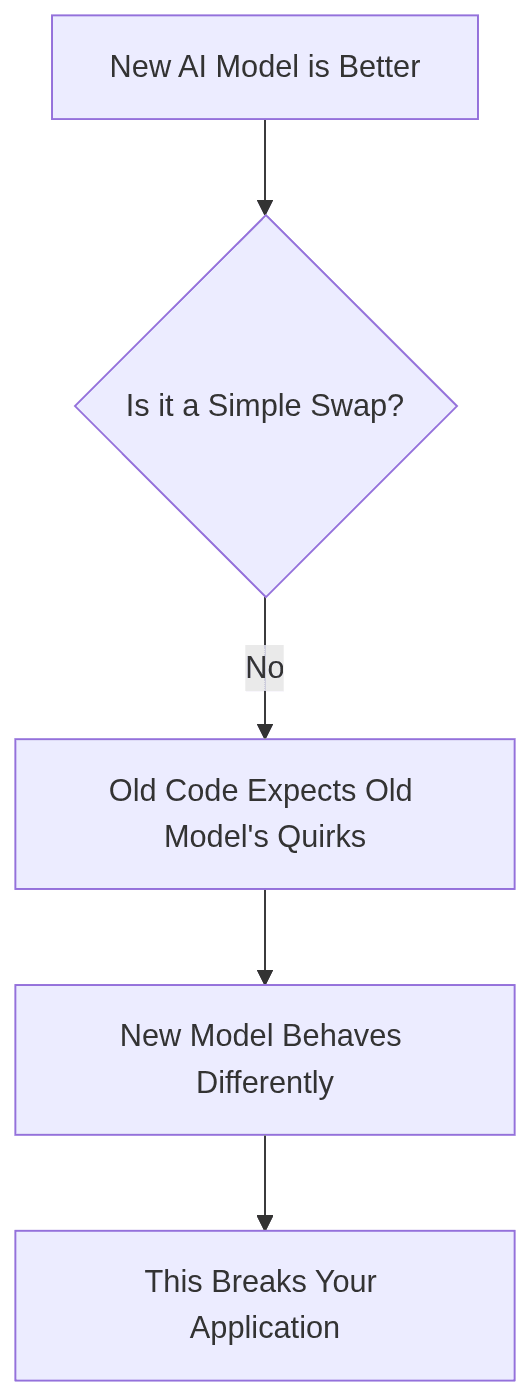
The Danger of the "Drop-In" Upgrade
The appeal of a simple upgrade is undeniable. A single line change in a configuration file could unlock state-of-the-art performance for your users. But this simplicity is an illusion. Your production system is not just the model; it's an ecosystem of application code, prompts, and monitoring built around a specific set of model behaviors.
Think of the relationship with your current model as a behavioral contract. Through trial and error, you learned what it does well, what it does poorly, and what it does unpredictably. Your application code is a codification of that knowledge.
Parsing: Your code expects a certain output format. Maybe it’s a JSON object with specific keys, a Markdown table, or just a plain-text answer that starts with "Yes" or "No".
Prompting: Your prompts are engineered to work around the model's weaknesses. You might add phrases like "Do not include any commentary" or provide few-shot examples to force the model into a reliable format.
Error Handling: Your system knows how to handle the model's specific failure modes, like when it refuses to answer or produces a malformed output.
A new major version of a model voids this contract. Its improvements in instruction-following and safety training are precisely what make it a dangerous drop-in: the "hacks" in your prompts may no longer be necessary and could even confuse the new model, and its stricter safety alignment might cause it to refuse prompts that the older, more permissive model handled without issue. The seemingly minor change of a model identifier ripples through your entire system, turning previously robust code into a source of production incidents.
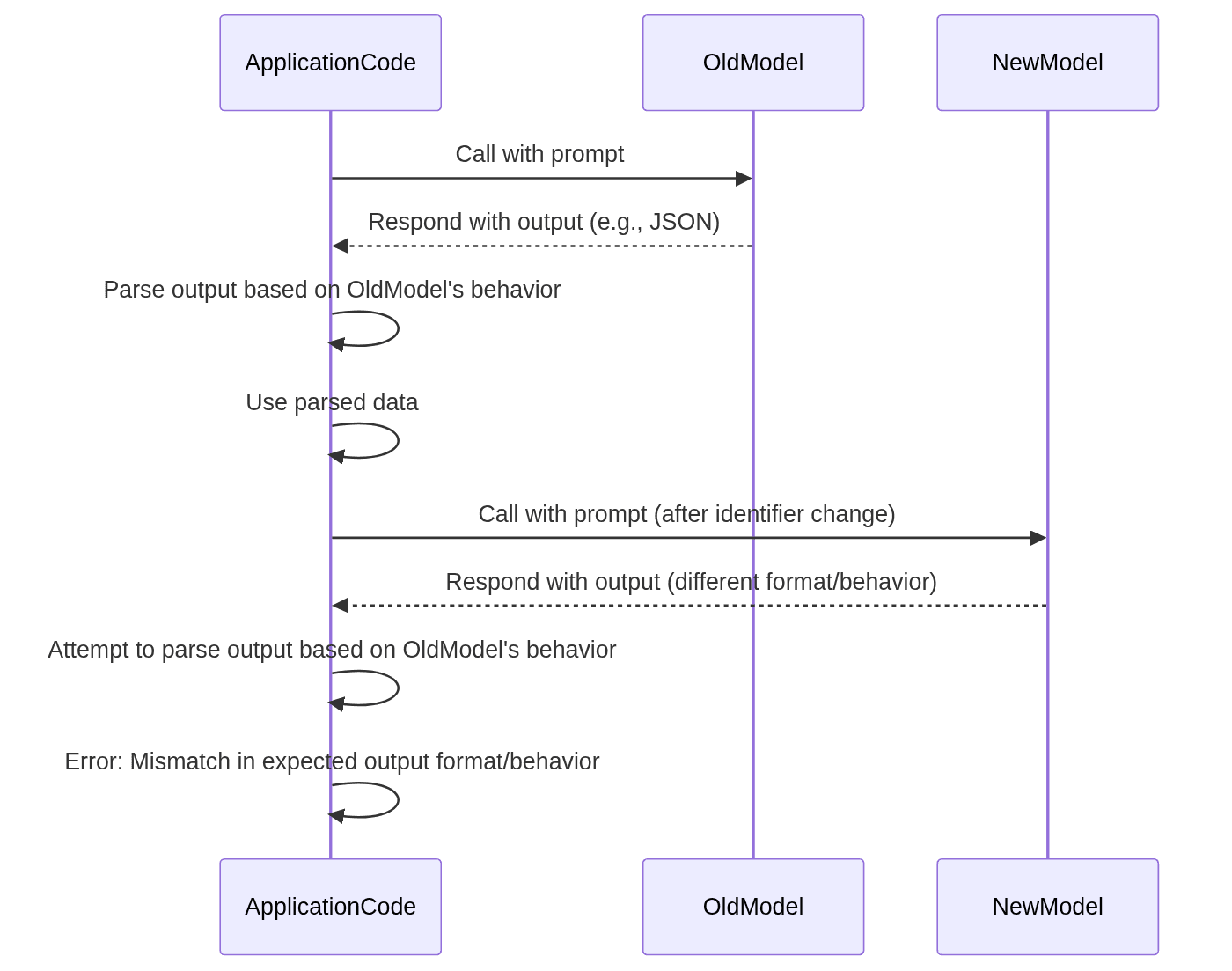
Step 1: Re-qualification and the Regression Test Gauntlet
Before you even consider sending a single live request to a new model, you must put it through the same rigorous qualification process you used for the original, and then some. The goal is to build a new behavioral contract by systematically discovering the differences. This means running a comprehensive suite of regression tests focused on the most common points of failure.
Output Format and Structure
This is the most frequent and immediate cause of breakage. While a new model might be better at understanding your request for a specific format, its generation process is different. Never assume the output structure will remain identical.
Your test suite must validate:
Strict Schema Adherence: If you expect JSON, is it always valid JSON? Does it contain the exact keys you expect, with values of the correct type? A new model might decide to add a helpful
"comment"key or change an integer0to a booleanfalse.Extraneous Text: A common failure mode is a model wrapping its structured output in conversational text. For example, instead of just
{"status": "complete"}, you might getSure, here is the JSON you requested:\n\n{"status": "complete"}\n\nI hope this helps!. Your parser, expecting a raw JSON object, will immediately fail.Whitespace and Encoding: Seemingly trivial changes to whitespace, newlines, or character encoding can break brittle downstream systems.
Your regression tests should include dozens of prompts and assert that the output parses correctly and conforms to the expected schema.
Latency and Cost
A more capable model is almost always a larger, more computationally intensive model. This has direct consequences for user experience and your budget.
Latency: Benchmark the new model's response times under various loads. Measure time-to-first-token and total generation time. A 20% increase in average latency might be imperceptible for a background task but could violate an SLA for a user-facing feature.
Cost: Major version upgrades often come with a new pricing model. The new model might be more expensive per-token, or its tendency to be more verbose could drive up token counts even at the same price. Re-run your cost projections with data from your test suite. A seemingly small increase in cost-per-request can lead to a significant budget overrun at scale.
Content and Safety Rails
A new model's alignment is one of its most significant, and unpredictable, changes. As model providers refine their safety techniques, the model's personality and refusal behavior will shift.
You must re-test your application's handling of:
Edge Cases: Re-run all your tests for prompts that are ambiguous, controversial, or near the boundaries of the acceptable use policy.
Refusals: Does the new model refuse to answer prompts that the old one would? How does it refuse? Does it return a specific error code, a JSON object indicating refusal, or a sentence explaining its reasoning? Your application must be able to gracefully handle this new refusal behavior. A system expecting a list of items that suddenly gets a paragraph-long explanation of safety principles will likely fail.
Instruction Following: Test for "overly literal" instruction following. If you previously relied on the model being slightly imprecise, a new model that follows every instruction to the letter could produce outputs that are technically correct but practically useless.
Step 2: The Art of Prompt Archaeology
Once you have a baseline understanding of the new model's performance from your regression tests, the next step is to audit your existing prompts. Many of them will need to be updated or completely rewritten. This process is like an archaeological dig through your own codebase, uncovering the hidden assumptions baked into every prompt template.
Brittle Prompts and "Jailbreaks"
Many early production systems relied on clever "prompt hacks" to control model behavior. These are the most likely to break. Examples include:
Threats or role-playing instructions that feel unnatural (e.g., "You will be penalized if you do not respond in JSON.")
Complex, multi-part instructions that rely on a specific order of interpretation.
Using XML tags to delineate instructions and outputs in a way that exploits a quirk of the model's training data.
A more advanced model, with superior instruction-following, may interpret these hacks literally or simply ignore them as nonsensical. The fix is usually to simplify. Replace the clever hack with a clear, direct instruction. Often, with a more capable model, you can just ask for what you want.
System Prompts and Persona Drift
Your system prompt is the constitution for your AI agent, defining its persona, purpose, and constraints. A new model will read that constitution with a fresh perspective.
If your system prompt says, "You are a helpful assistant who is concise and professional," the new model's interpretation of "concise" might be drastically different. It might shorten its answers to the point of being unhelpful, or its new standard for "professional" might involve adding boilerplate greetings and sign-offs that break your parsers.
Audit your key system prompts by generating hundreds of responses with the new model and comparing them to the old one. Look for subtle shifts in tone, verbosity, and personality. You will likely need to tweak the wording to recalibrate the persona.
Few-Shot Examples
If you use few-shot prompting (providing examples of inputs and desired outputs in the prompt), your examples must also be revisited. A new model might learn different patterns from your examples than the old one did. It might over-index on a trivial aspect of one example or generalize from the set in an unexpected way. Refresh your examples, ensuring they are clean, clear, and perfectly representative of the output you want. Sometimes, with a better model, you may find you can remove the few-shot examples entirely, relying instead on a clearer zero-shot instruction in the system prompt.
Step 3: Sequencing the Migration Without a Flag Day
A successful migration is not a single event but a gradual, carefully monitored process. The goal is to de-risk the transition by gathering data and building confidence at every step. Never migrate 100% of traffic in one go.
Shadow Mode: Compare Without Committing
The safest first step is to run the new model in "shadow mode." For a subset of your production traffic, you continue to serve the response from your old, trusted model to the user. In the background, however, you send the very same prompt to the new model.
You log both the old output and the new output to a database or logging system. This has zero impact on your users but provides an invaluable stream of real-world comparison data. You can now analyze, at scale, exactly how the new model behaves on the messy, unpredictable prompts your users generate every day. This is the ultimate regression test.
Canary Releases and Gradual Rollouts
Once you have analyzed the shadow mode data and are confident in the new model's performance, you can begin a canary release. Start by routing a tiny fraction of production traffic—perhaps 1%—to the new model.
This is where your monitoring becomes critical. Watch your dashboards like a hawk for any of the following:
Increases in application error rates.
Spikes in model response latency.
Negative changes in business metrics (e.g., lower user engagement, fewer successful transactions).
Increases in user-reported issues.
If all metrics remain healthy, you can gradually increase the traffic percentage: from 1% to 5%, then to 20%, 50%, and finally 100%. This phased rollout acts as a series of circuit breakers, allowing you to catch problems while their impact is still small and roll back to the old model if necessary.
Building an Automated Evaluation Suite
Manually checking thousands of shadow mode responses is not feasible. To make a data-driven decision about a rollout, you need an automated evaluation suite. This can range from simple rule-based checks to using another LLM as a "judge."
A typical evaluation function might look like this:
# Conceptual example of an evaluation function
def evaluate_model_output(prompt, old_model_output, new_model_output):
    """
    Compares the output of a new model against a baseline.
    Returns a dictionary of scores.
    """
    scores = {
        "is_valid_json": None,
        "tone_is_consistent": None,
        "is_refusal": None,
    }

    # 1. Format Check: Is the output valid JSON?
    try:
        json.loads(new_model_output)
        scores["is_valid_json"] = True
    except (json.JSONDecodeError, TypeError):
        scores["is_valid_json"] = False

    # 2. Semantic Check: Use an LLM to judge tone consistency.
    evaluator_prompt = f"""
    You are an AI quality evaluator. Compare two responses to a user prompt.
    USER PROMPT: "{prompt}"
    ---
    RESPONSE A (from the old model):
    {old_model_output}
    ---
    RESPONSE B (from the new model):
    {new_model_output}
    ---
    Does Response B maintain the same core meaning and professional tone as Response A?
    Answer with only "Yes" or "No".
    """
    # In a real system, you would call your LLM API here.
    tone_check_result = call_llm_api(evaluator_prompt)
    scores["tone_is_consistent"] = "yes" in tone_check_result.lower()

    # 3. Refusal Check: Did the new model refuse where the old one didn't?
    # (This requires a predefined list of refusal phrases)
    is_new_refusal = any(phrase in new_model_output.lower() for phrase in REFUSAL_PHRASES)
    is_old_refusal = any(phrase in old_model_output.lower() for phrase in REFUSAL_PHRASES)
    if is_new_refusal and not is_old_refusal:
        scores["is_refusal"] = True

    return scores

# You would run this function over thousands of logged requests from shadow mode.
# Then, you aggregate the scores to get a picture of the new model's behavior.
# For example: "99.8% of outputs are valid JSON. Tone is consistent in 95% of cases."
This automated suite allows you to quantify the new model's behavior. Instead of relying on anecdotes, you can make the decision to proceed with the rollout based on hard data showing that the new model meets or exceeds the performance and reliability bar set by the old one. This disciplined, data-driven process is what separates a smooth, successful upgrade from a chaotic production incident.